What is K-Means Clustering?
Imagine you’re looking at a painting with thousands of colours. Beautiful, right? But what if you could simplify that painting into just 5–10 main colours, while still keeping its beauty intact? That’s exactly what K-Means clustering does. It groups similar pixels together, finds the dominant shades, and recreates your image in a bold, artistic way. The result? A fresh, stylized version of your photo that feels like digital art.
Why Should You Try This?
- Create Unique Artwork: Turn a normal photo into something that looks hand-painted or posterized.
- Get Design Inspiration: Quickly extract colour palettes you can use in branding, websites, or posters.
- Learn AI by Playing: Understand clustering concepts in a fun, visual way without coding.
- Save Storage: Simplify photos by reducing colours while keeping the essence intact.
- For Tech Lovers: Use it as a pre-processing step for image recognition and computer vision projects.
Before and After Example
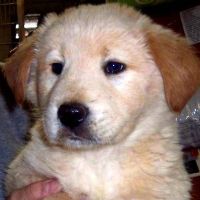
.png)
How to Use This Tool?
- Upload: Click the file input and select your photo (JPG, PNG or WebP).
- Set Clusters: Enter the number of colours (K).
Tip: Use 3–5 for a cartoon/poster look, or 7–10 for detailed art. - Convert: Click the "Convert Image" button and wait a few seconds for the Python AI to process it.
- Download: Save your new masterpiece instantly.
A Peek Behind the Scenes
So, how does all this magic happen? Here’s the secret: The algorithm picks random “centroids” (think of them as colour leaders). Every pixel in your image then joins the group whose leader is most similar in colour. Slowly, the leaders update themselves to represent their groups better. After a few rounds, the image settles down into K dominant colours.
The Math Behind K-Means
K-Means is an unsupervised learning algorithm that partitions data into k groups. In this case, each pixel is a data point with three values (R, G, B). The algorithm works as follows:
- Choose k random cluster centers (colours).
- Assign each pixel to the cluster with the nearest center, using Euclidean distance:
- Recalculate each cluster’s mean colour (the centroid μₖ):
The algorithm repeats these steps until the clusters stop changing. The final output is a simplified frame where each pixel’s colour is replaced by the centroid of its cluster.
Want to see the Python code?
Check out the technical breakdown of how to implement KMeans using OpenCV.
View Algorithm Docs →Real Life Uses
K-Means isn’t just for making fun art. It’s used in serious fields too:
- Medical Imaging: Doctors use clustering to highlight tissues in scans.
- Satellite Photos: Identify forests, water, or cities from space imagery.
- Marketing: Find customer groups by analyzing buying habits.
- Graphic Design: Extract palettes for posters.